Recly can transcribe speech on your phone and still upload the recording to the cloud first. That distinction is the useful detail to check before treating any “on-device” recorder as an offline notebook.
The open-source recorder recently appeared on GeekNews. Its Google Play listing, updated September 29, 2026, describes clearer status for recordings waiting for Google Drive. That update date does not mean the app or local transcription launched that day. The current documentation gives us a practical question: does its recording-to-notes workflow fit the information you want to capture?
This guide examines the published workflow and offers an original personal-memo exercise. It is not a hands-on review, a transcription benchmark or an independent privacy audit.
1. Follow the recording, not the “on-device” label
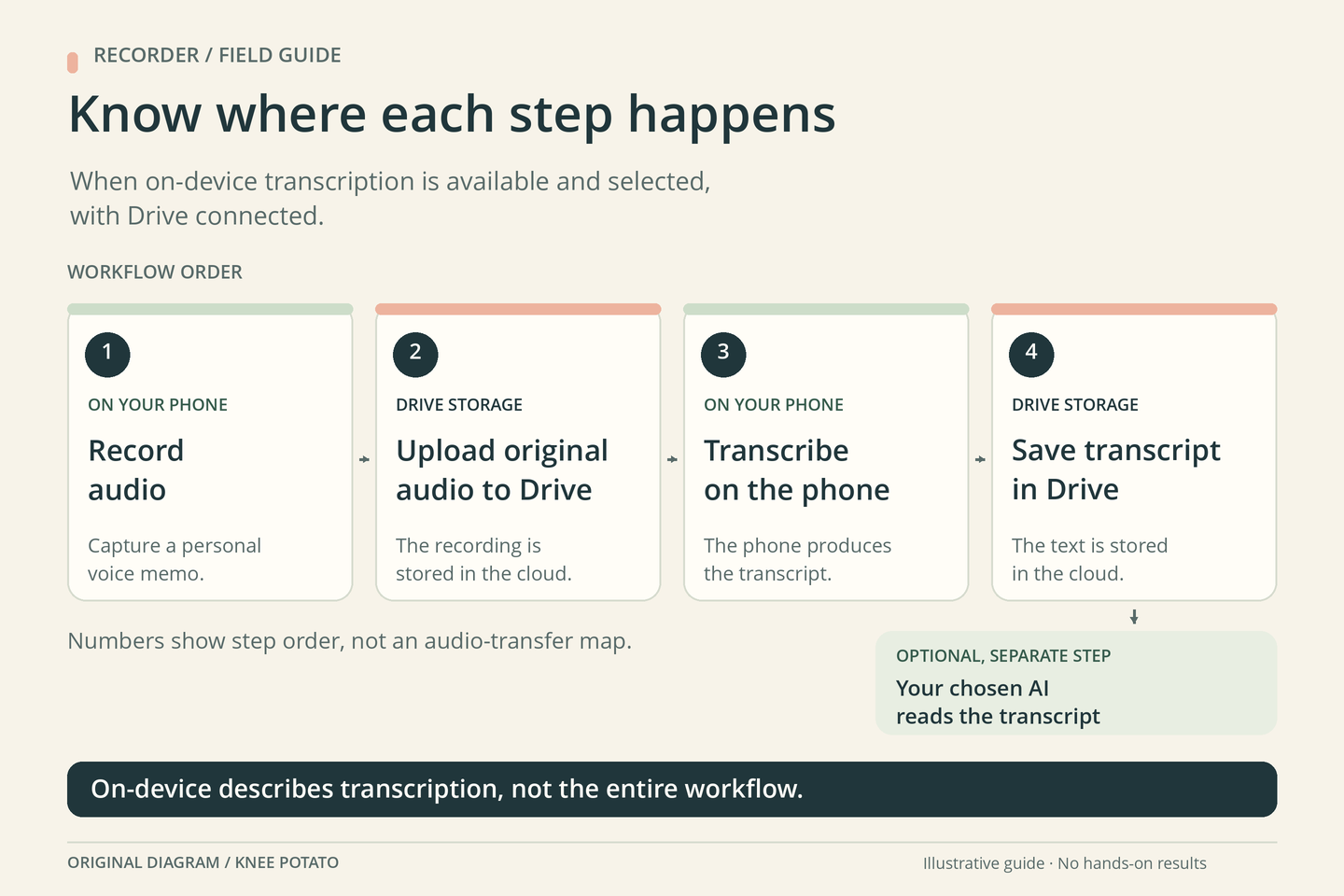
The project’s documented sequence puts the original Google Drive upload before transcription. When on-device transcription is available and selected, the phone performs that processing after the upload. The transcript is then stored beside the recording in Drive. A watch hands its recording to the paired phone first.
These are different questions:
- Where is speech converted to text? In the selected local mode, on the device
- Where does the original audio go? To the connected Google Drive account
- Who turns the transcript into notes? A separately chosen AI tool, if you use one
The store description says recording works without a Google account, while uploading and transcription require connecting one. It also describes an optional external transcription route using your own provider key, with the provider billing you directly.
For a grocery brainstorm or a draft outline, you might be comfortable with that arrangement. If your requirement is that audio never leave the phone, the documented transcription workflow does not meet it. If you are handling work material, check the actual permitted storage and processing destinations before recording. “My own cloud account” and “stays on this device” are separate requirements.
Draw four boxes on paper: capture, storage, transcription and notes. Put a device or service name in each. Any box you cannot fill in is a useful reason to pause setup and read the current documentation.
2. Check recording and transcription separately
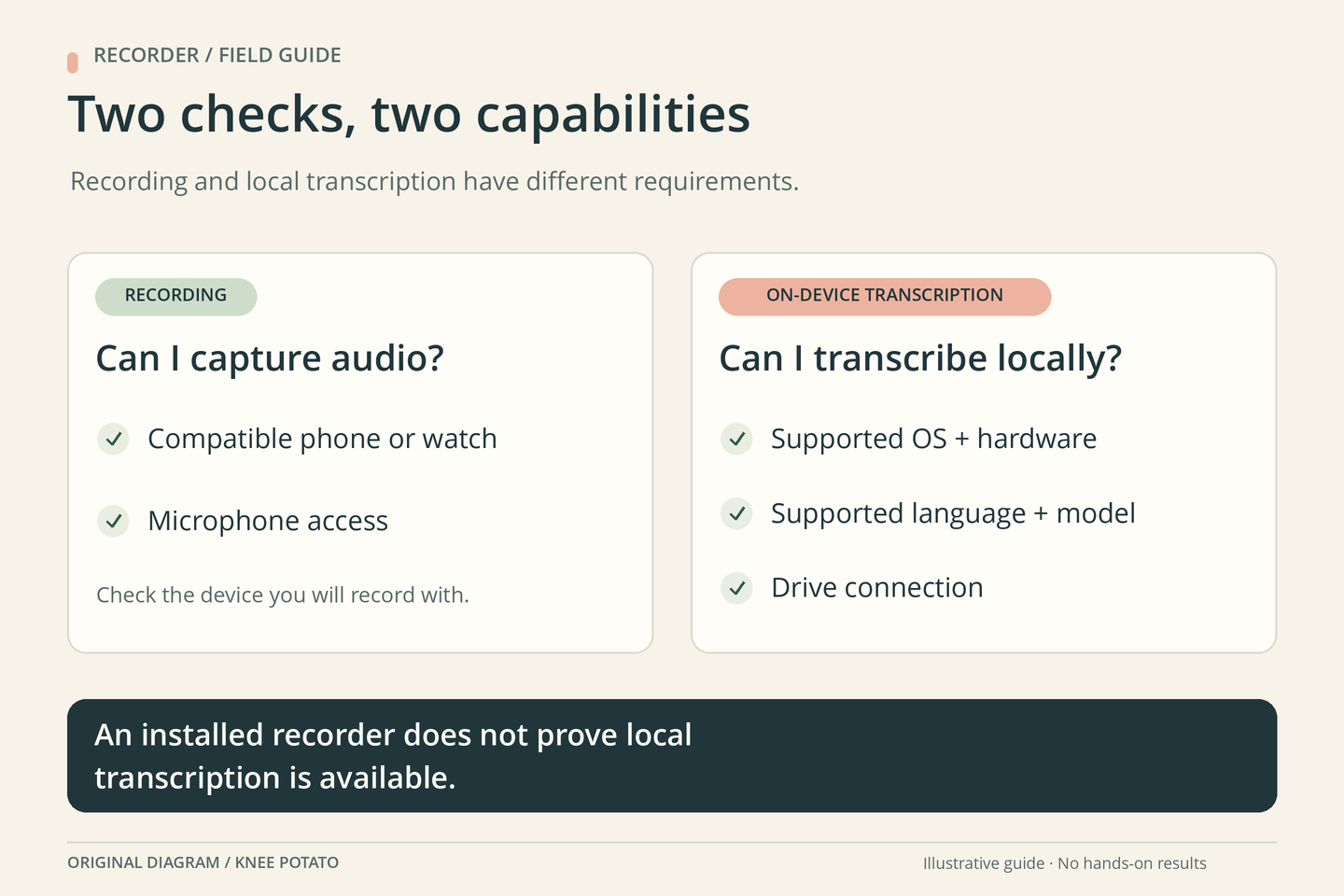
Being able to install a recorder does not prove that your phone can run its transcription engine. Recly’s README describes additional requirements for local processing: Apple’s engine needs iOS 26 on supported hardware with language assets; the Android route needs suitable memory and a one-time model download. Devices without an available engine start with transcription off. Local mode has no speaker separation or automatic cloud fallback.
Before relying on the app, check these items on your particular phone:
- Recording: the current store listing supports your device and operating system, and a short recording plays back clearly
- Transcription: the desired method is available, the spoken language is supported, and any required assets are ready
- Storage: you know which Drive account and folder will receive the recording and transcript
- Notes: you have a suitable way to read the transcript, with or without a separate AI tool
Check the app’s actual selected setting rather than assuming that a feature shown in a product description is active. If local processing is unavailable, decide explicitly whether another method fits your needs. A missing transcript should prompt a status check, not an automatic purchase of a new device or provider subscription.
Start with a memo in your own voice. A microphone permission prompt is not permission from other people to record them; a meeting adds consent and organizational requirements that this personal exercise does not resolve.
3. Give a short memo three different kinds of content
Try a brief, non-sensitive note that contains one definite action, one possible idea and one missing detail. Keep the original wording available so the eventual list can be checked. Here is an invented example:
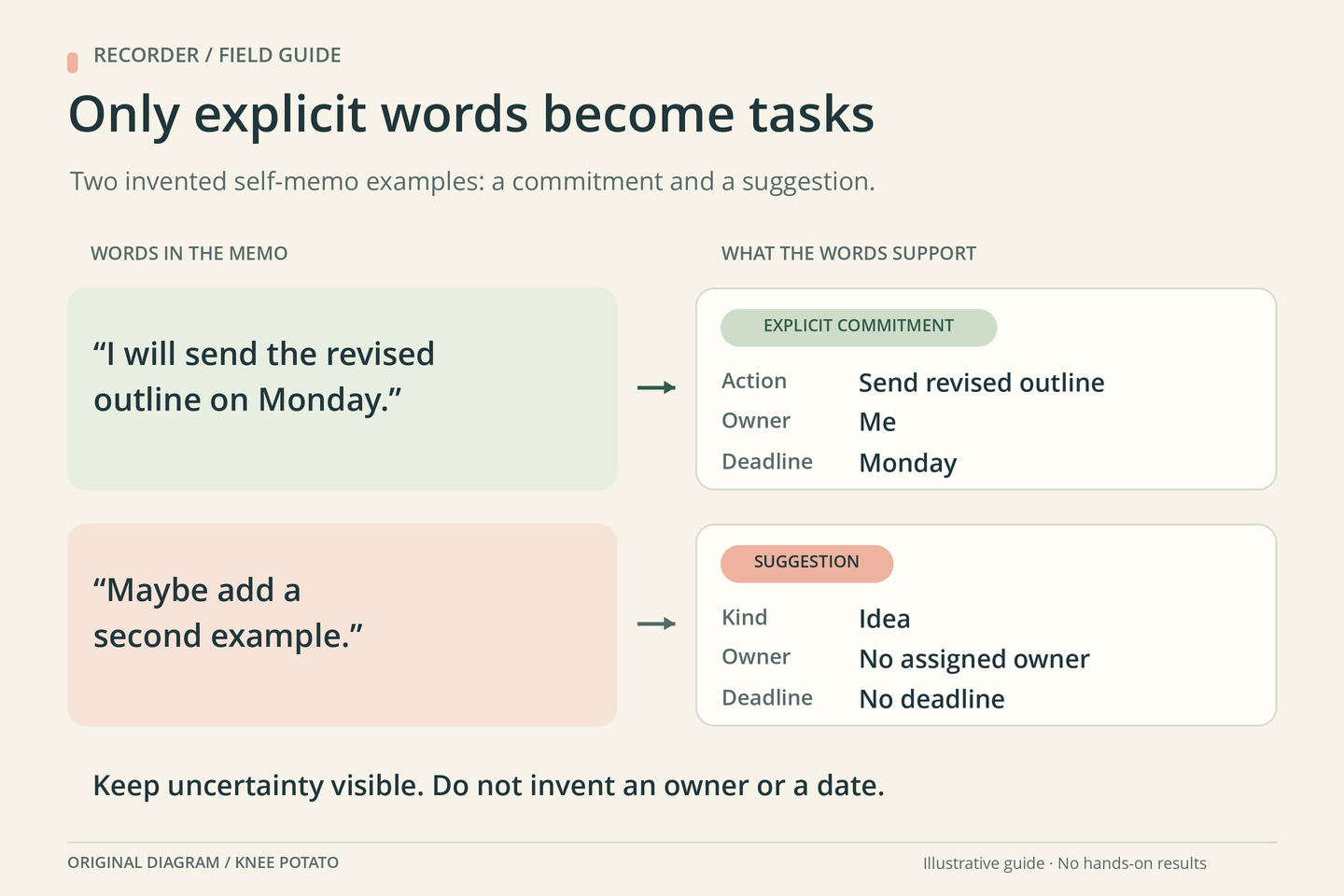
I will send the revised outline on Monday. Maybe add a second example. I still need to decide which diagram to use.
A useful result preserves those differences. It should not promote “maybe” into a task, invent a date for choosing the diagram, or quietly decide which Monday you meant.
| Memo item | Useful note | What remains unresolved |
|---|---|---|
| Send the revised outline | Explicit action; owner: me; deadline as spoken: Monday | The calendar date, if the context does not establish it |
| Add a second example | Possible idea | Whether to do it, who will do it and when |
| Choose a diagram | Open decision | Which diagram and any deadline |
First compare the transcript with the recording. Check negations, names, numbers and time expressions. “Do not send” and “send” occupy almost the same space on a page and very different places in your afternoon. Correct the working transcript or mark unclear wording before asking another tool to summarize it.
For a short note, manual sorting may be quicker than adding AI. If you do use an existing, appropriate AI tool, share only material you are comfortable sending there. This suggested instruction makes the requested output concrete:
Use only this transcript. Separate explicit actions, possible ideas and open decisions. For each action, include the stated owner and deadline. Write “not stated” when either is missing. Include a supporting timestamp only if one is supplied. Preserve uncertain wording and flag it for audio review. Do not turn suggestions into commitments or invent calendar dates.
The instruction is a review aid, not a guarantee. Compare every resulting action with its supporting words before copying it to a task manager or calendar.
4. Keep the smallest workflow that produces a usable note
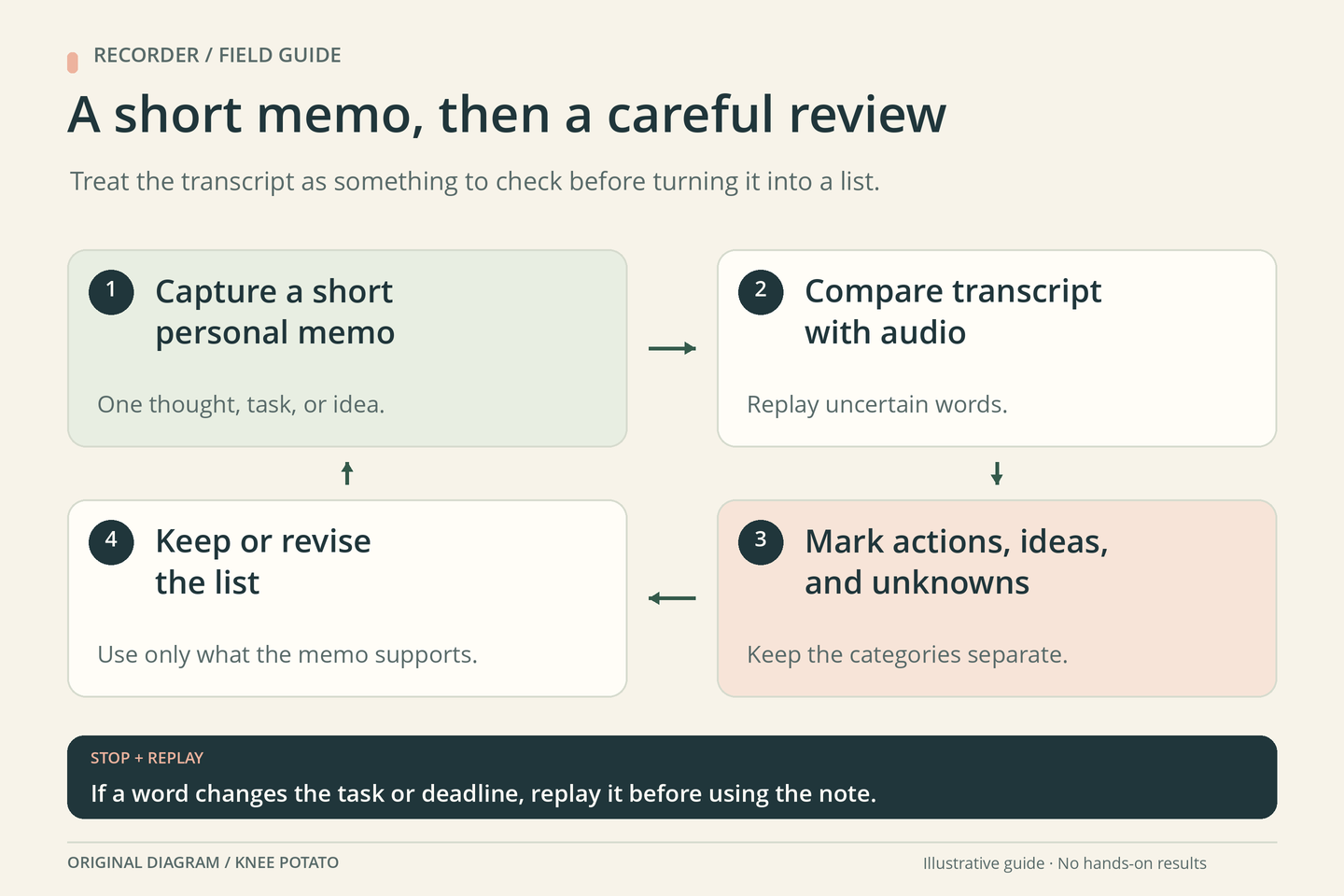
Your first successful result is modest: an audible recording, a readable transcript and a short list whose commitments match what you actually said. You do not need a dashboard full of connected services to establish that.
- If the transcript is missing: inspect the selected method and the upload or processing status before recording something important
- If a task or deadline is unclear: replay the relevant audio and leave the field unresolved until you can establish it
- If the list contains invented commitments: remove them, narrow the instruction and review the next result
- If the data path does not fit: stop before uploading the material and choose a workflow whose storage and processing meet your requirements
- If manual notes are easier: keep using them for that kind of memo
Recly’s separation of recording, transcription and notes makes these decisions visible. The useful question is whether each step earns its place in your routine. A transcript that produces two accurate next actions can be more helpful than a beautifully formatted page of things you never agreed to do.