Before archiving a GitHub pull request, record why its public visibility should change, who owns the decision, and how to review a restoration request. Check visibility, pull-request state and conversation state separately afterward. Unarchiving is not a decision to resume code review.

“Take it out of the queue” can mean several things. A duplicate proposal might only need a closing explanation and a link to the surviving discussion. A moderation case might need to disappear from public view. One button should not quietly substitute for the other decision.
This guide provides an original handoff record for maintainers and trusted triagers. It is a proposed workflow, not a report of testing the archive feature on a live repository. Apply your project's moderation policy and use only access you already have.
What changed on October 8, and what was corrected on October 9
GitHub's October 8, 2026 announcement, corrected on October 9, extends archiving and unarchiving to the triage, write, maintain and admin roles. Its corrected visibility statement says those same roles can still see archived pull requests; they are hidden from public view. An archived PR is closed and read-only, including for new comments, reactions and automated comments. The announcement says unarchiving permits comments and reactions again without reopening the PR.
Documentation caution, checked October 10: the archiving how-to still describes administrator-only access and a restored PR remaining locked. The GraphQL reference recognizes triage-or-higher access but also says unarchiving does not automatically unlock it. These descriptions are not fully aligned. Use the dated, corrected announcement for the new role and visibility scope; inspect the actual conversation controls after restoration rather than promising that every previously locked conversation will accept replies.
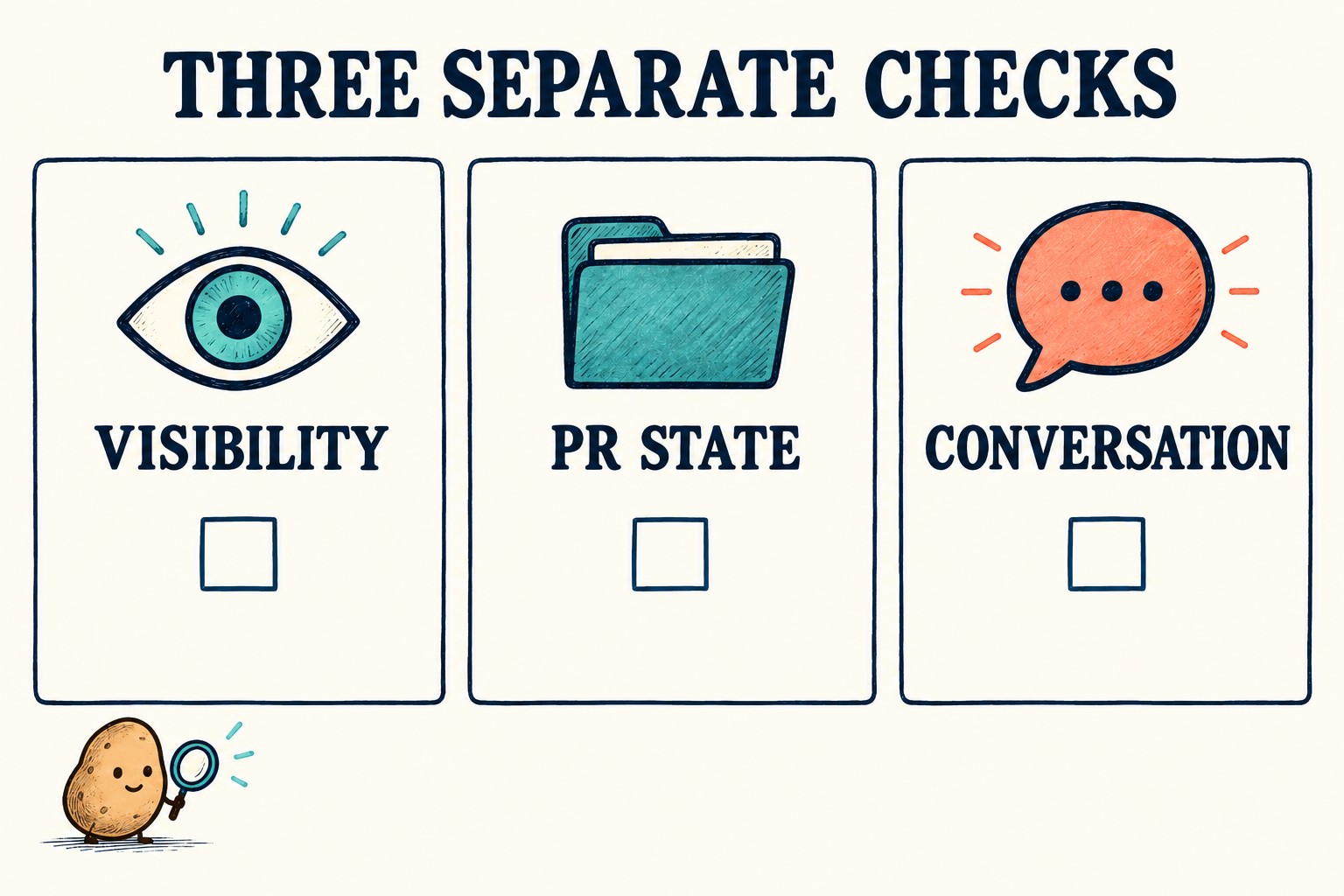
Choose the outcome before choosing the action
Write a one-sentence answer to: “What should a contributor be able to see and do after this decision?” This keeps a routine queue cleanup from becoming an accidental visibility change.
| Intended outcome | Suggested first step | Question to resolve |
|---|---|---|
| Stop pursuing this proposal | Consider normal closure with an appropriate explanation. | Should its discussion remain a useful reference? |
| Keep one discussion for a duplicate | Identify the canonical proposal and follow the project's duplicate policy. | Would hiding this PR break a link people still need? |
| Remove a PR from public view for moderation | Review the archive decision with the responsible maintainer. | Where will the authorized team retain the reason and restoration route? |
| Undo an archive decision | Review the reason for restoration before changing state. | Is the goal restored visibility, renewed discussion, resumed review, or more than one? |
GitHub's normal closure instructions explain closing without merging, including when another proposal makes a PR unnecessary. The table above adds an editorial decision aid; it is not a claim that every duplicate or inactive contribution should be archived.
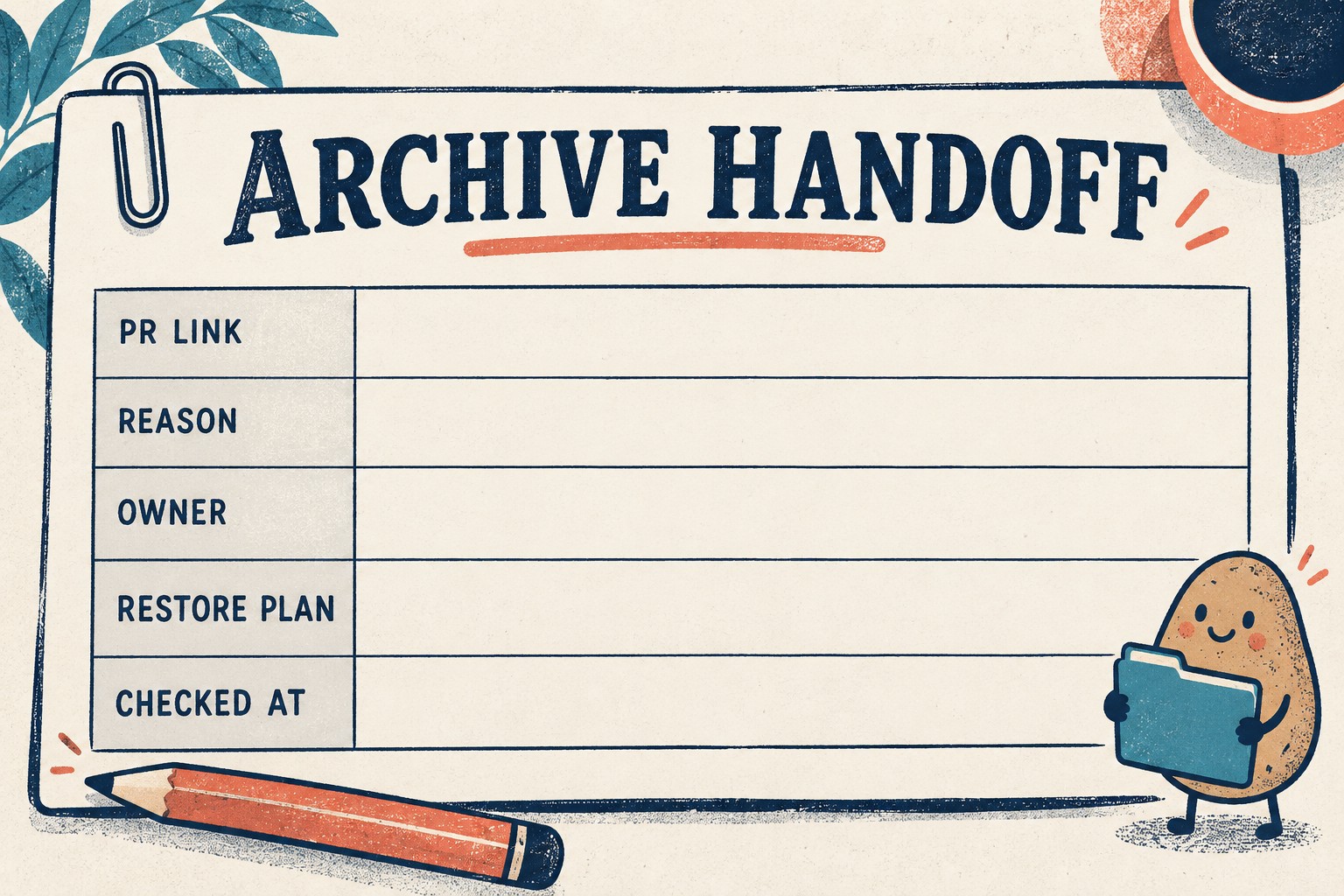
Copy this archive handoff record
Keep the record in an existing place accessible to the people responsible for moderation. Record only the minimum information needed. Do not reproduce abusive text, personal information or sensitive material in a public issue merely to document that it was removed.
| Field | Fill in before acting |
|---|---|
| Target | Repository and exact PR URL or number |
| Purpose | Reason under the project's policy; intended visibility afterward |
| Owner | Responsible maintainer or triager, and existing role |
| Dependencies | Known issue links, duplicate references or tools that rely on this discussion |
| Handoff location | Approved team record or existing appeal channel |
| Restoration plan | Who can reassess it, what they need to check, and whether reopening is a separate decision |
| Observation | Time, acting role, resulting visibility, PR state and conversation controls; mark untested checks explicitly |
Hypothetical example: “PR #42 is a duplicate. The earlier proposal is #17. We want contributors to retain the explanation, so this case needs an ordinary closure review, not an archive-by-default rule.” Those numbers are invented. The useful part is the explicit desired outcome.
Make one authorized change, then check the result
Start with one already-approved case rather than a bulk cleanup. Reopen the exact PR and compare its repository, number and reason with the record. If the expected archive control is unavailable, record the account role and what is shown; do not request broader permissions just to make the button appear.
The official how-to places Archive pull request near the bottom of the right sidebar and includes a confirmation step. Read that notice before proceeding. If submission is uncertain, inspect the current state before submitting again.
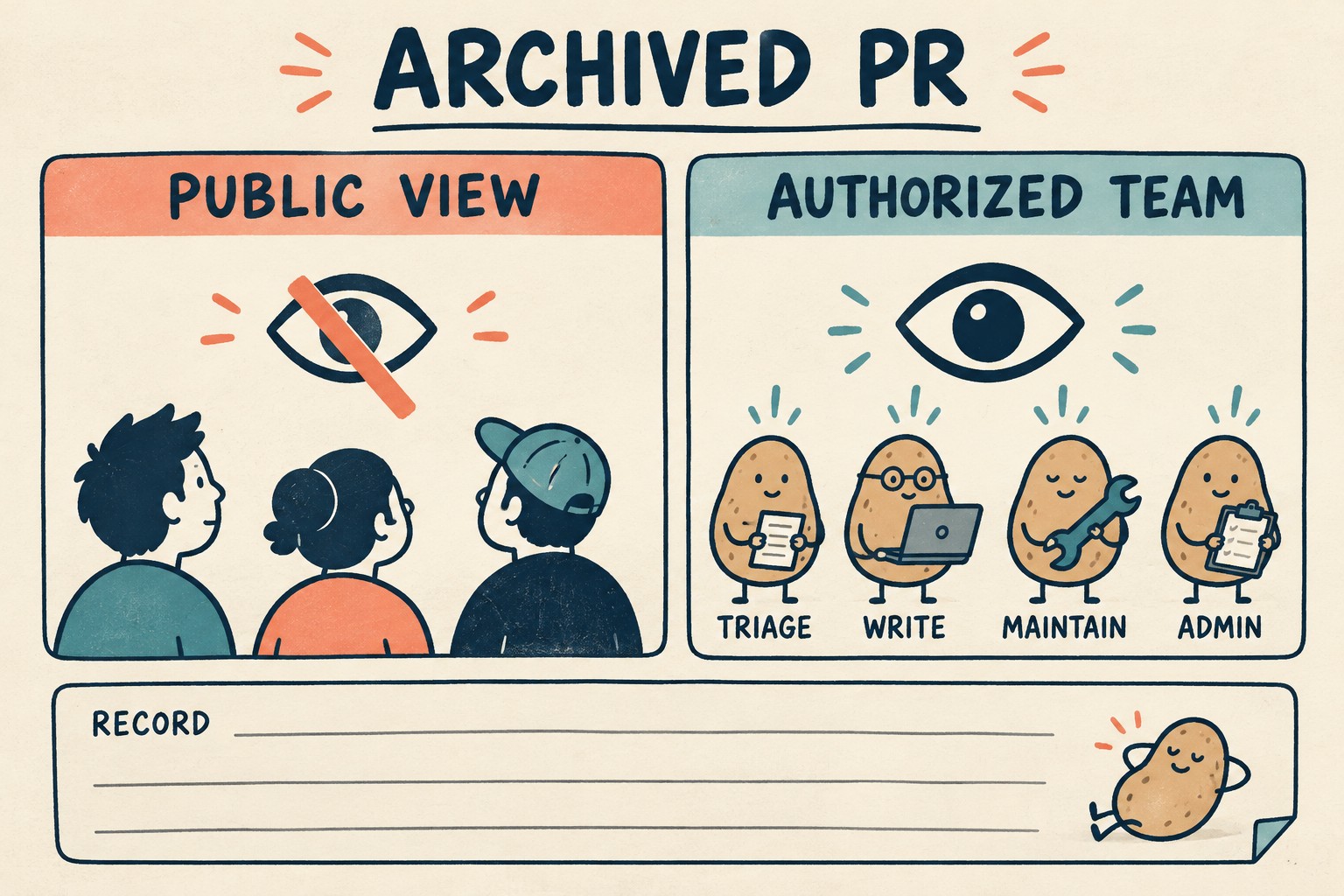
Afterward, record three observations: whether the appropriate existing team account can reach the PR, which PR state is displayed, and what conversation controls are available. For a public repository, a permitted signed-out check can help assess public visibility. Never expose a private-repository link through a third-party testing service. If you cannot perform a check safely with existing access, write “not checked” and assign it to the appropriate owner.
Also inspect any known handoff dependency. A moderation bot that normally leaves a final note cannot be assumed to have recorded one after the archive operation. Put the approved decision record where the responsible people can find it without depending on a successful follow-up comment.
Restoration needs its own receipt
When restoration is approved, locate the original PR from the handoff record. GitHub's how-to documents is:archived as a search qualifier. Use it within the repository you are authorized to manage; it is a locator, not a substitute for access.
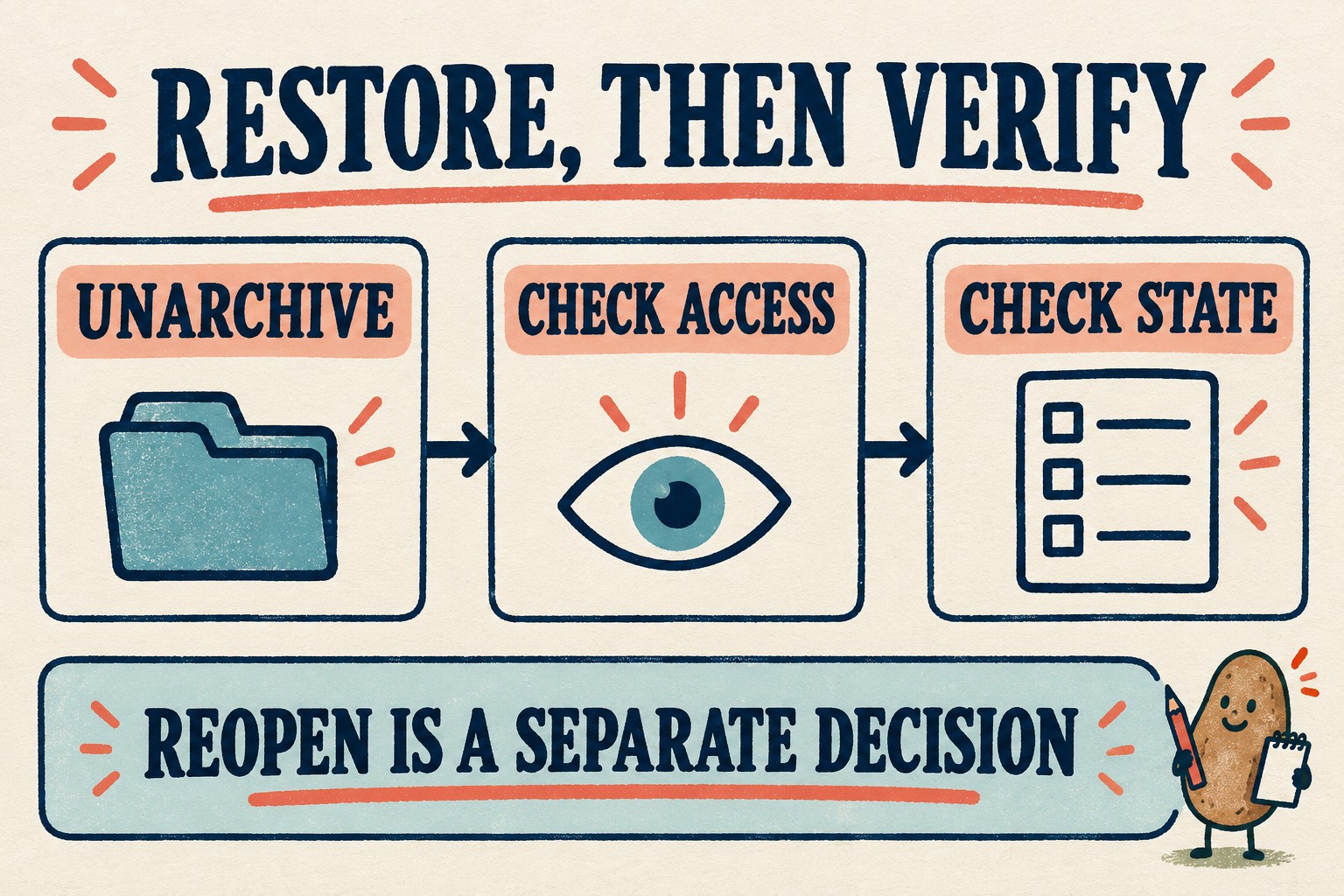
After using the unarchive control and reading its confirmation, revisit the same three observations. Record what became visible, whether the PR is still closed, and whether replies are possible or an independent lock remains. Do not equate “the page loads” with “review has resumed.” If the observed state conflicts with the intended outcome, stop and hand the discrepancy to the responsible maintainer instead of repeatedly toggling the archive state.
Finish the record with a plain sentence: “Visibility restored; PR remains closed; conversation state checked by [owner] at [time].” Replace each part with what was actually observed. If the project decides to resume review, handle reopening as a separate, explicit step.
For a broader queue inventory before changing contributor limits, use our draft-PR queue checklist. That is a separate task: a smaller queue does not, by itself, establish that hiding a discussion was the right decision.