Before adding DNS records, check which quota applies and count the whole planned change. A warning percentage can prompt that review, but it cannot tell you whether your next set of additions fits.
On October 6, 2026, Cloudflare announced a dashboard warning at 85% of DNS-record quota. The notice follows the applicable scope: one zone or the account's zones together. The announced feature is the warning; the notice does not say that every underlying quota changed that day.

Identify the capacity pool first
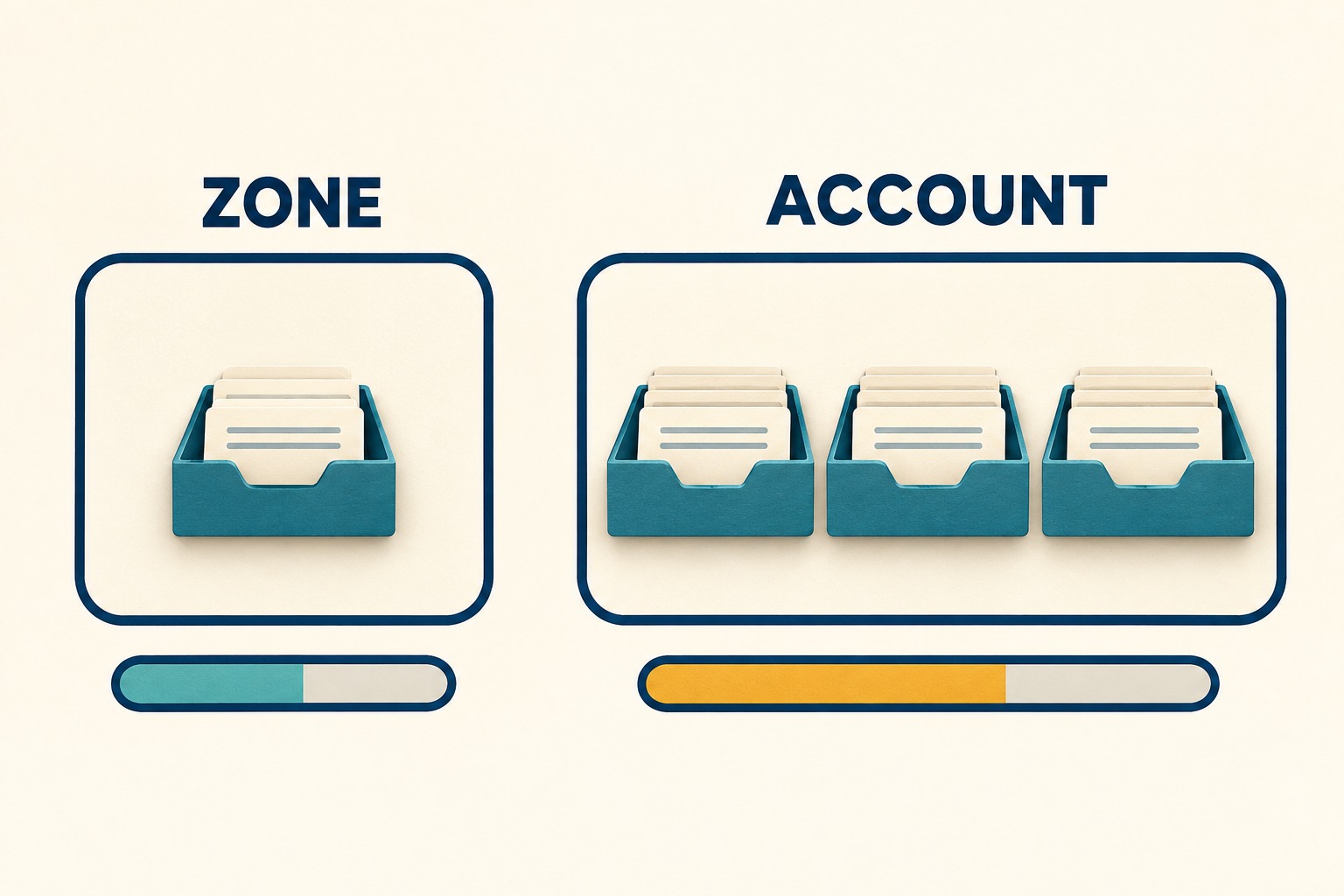
Cloudflare's DNS quota documentation says enforcement is per zone or per account, rather than both. Enterprise account quotas cover all the account's zones, with public and internal records counted separately. Records created by other Cloudflare services also count. The small buffer described for service-created records is not spare capacity to assume for your own additions.
Write the applicable pool at the top of your review: a particular zone, account public DNS, or account internal DNS. Keep its usage and quota together. A count from one zone cannot stand in for the usage of a shared account pool.
Use the current value for the actual account or zone rather than a remembered plan allowance. For example, the documented Free-zone allowance differs according to whether the zone was created before or on/after September 1, 2024 at 00:00 UTC. The plan name alone is insufficient.
Read usage without changing DNS
Ask the authorized owner to capture the relevant dashboard values or use an existing approved read-only integration. Record the time, account or zone, and source of the count. Keep credentials out of the worksheet and any screenshots you share.
The zone usage API reference documents GET /zones/{zone_id}/dns_records/usage, returning record_usage and record_quota. Its field description says a null quota means account-level quota applies. Treat that as a scope clue, not unlimited capacity.
The account usage reference documents GET /accounts/{account_id}/dns_records/usage. Its public totals use record_usage and record_quota; the quota is null when zone-level quota applies. When internal DNS is enabled, separate internal_record_usage and internal_record_quota fields are present.
These are reference paths, not instructions to create a token or expand access. If the existing owner cannot establish the applicable pool and numeric limit, mark the calculation unresolved. Do not turn an unavailable response into a zero, or combine public usage with an internal quota.

Count additions that share the pool
Use the following planning method for one proposed change. It is an original review aid, not Cloudflare's admission algorithm. Count proposed new records, not the number of domains, application features or lines in a change request.
- U, current usage: the observed count for the applicable pool.
- Q, quota: the verified numeric limit for that same pool.
- A, this plan: new records this change would add.
- C, other additions: known additions sharing that pool before this plan finishes, excluding anything already included in U or A.
- R, optional spare capacity: a nonnegative number the team chooses to leave unused. Record who chose it and why.
Calculate planned usage = U + A + C. Then calculate spare after the plan = Q − U − A − C. The arithmetic fits the chosen spare-capacity target only when that remaining amount is at least R. R is a planning choice, not a Cloudflare requirement or an actual reservation.
Keep proposed removals in a separate review. Do not subtract records merely because somebody intends to delete them later. If approved removals are completed, take a new usage reading and recalculate. This conservative worksheet deliberately avoids predicting intermediate quota checks inside a mixed create/delete batch.
Work through one hypothetical change
Suppose an owner verifies a quota of 200 records and current usage of 174. The proposed change adds 22 records. Another known change would add eight more to the same pool, and neither set is already included in the current count.
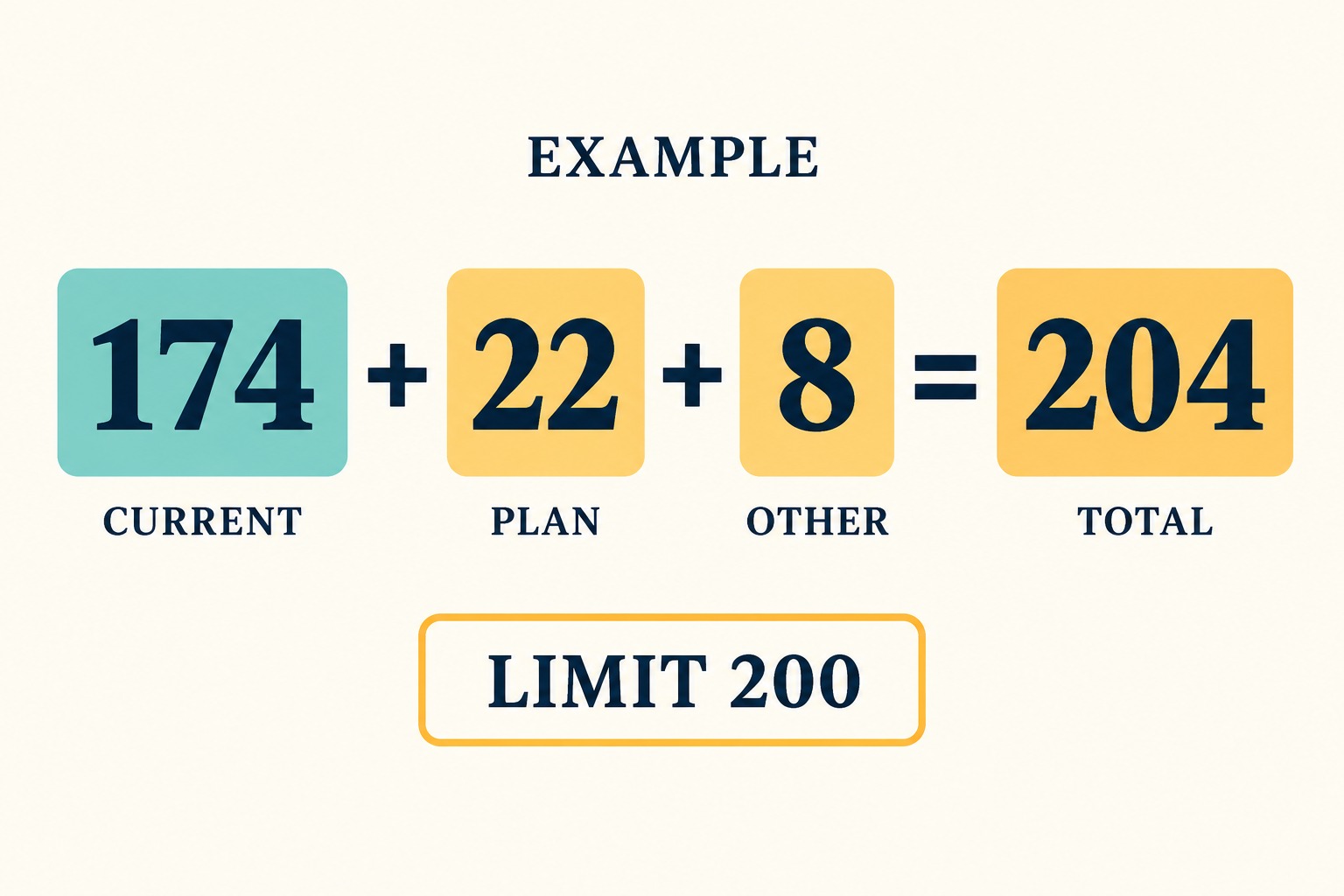
- Current use is 174 ÷ 200 = 87%.
- Looking only at this plan gives 174 + 22 = 196.
- Including the other known additions gives 174 + 22 + 8 = 204.
- Remaining capacity would be 200 − 204 = −4, even before choosing any spare-capacity target.
The useful finding is the shared shortfall. The next decision belongs to the change owners: revise the scope, coordinate timing, or investigate an approved capacity option. The worksheet does not authorize deleting an unfamiliar record or purchasing a different plan.
Copy the pre-change headroom card
Fill one card per applicable pool. Store detailed identifiers in the team's normal protected change record and sanitize any version shared outside that audience.
| Field | What to record |
|---|---|
| Change and owner | Change reference, intended time, responsible person, and who can approve execution. |
| Pool | Zone, account public DNS, or account internal DNS; identifier and evidence for the scope. |
| Observed capacity | U and Q, checked-at time and timezone, and dashboard or authorized read-only source. |
| Proposed additions | A, with a reviewed record list; C, with other owners and no double counting. |
| Optional spare target | R, its owner and reason, or zero if no extra target was chosen. |
| Calculation | U + A + C; Q − U − A − C; whether the remaining amount meets R. |
| Unresolved facts | Missing count, uncertain scope, unreviewed additions, or other changes that could invalidate the snapshot. |
| Decision and recheck | Arithmetic fits, capacity shortfall, or unresolved; next owner and a fresh check before execution. |

Keep capacity review separate from change approval
A complete card answers a narrow question: do the counted additions fit the verified pool at the recorded time? It does not validate record values, service dependencies, propagation, or the safety of removing an existing entry. Use the normal technical review and approval process for those questions.
Recheck usage immediately before the authorized change because concurrent work can consume the apparent headroom. Afterward, record what actually happened and the new observed count. Keep a planned number and an observed number labeled separately.
This guide reflects primary documentation checked October 7, 2026. It includes hypothetical arithmetic and a proposed planning template; no live DNS changes or account-level API trial were performed.